
In the dynamic realm of software development, ensuring your application’s performance, scalability, and responsiveness are vital for providing a seamless user experience. Performance testing plays a pivotal role in achieving these goals, and the automation of this testing process has become a cornerstone in modern software quality assurance. In this comprehensive guide, we explore the strategies and tools essential for automating performance testing, enabling you to deliver high-performing applications that meet user expectations.
Understanding Performance Testing Automation
Performance testing automation involves the use of specialized tools and frameworks to simulate real-world user interactions, assess the application’s behavior under various loads, and identify performance bottlenecks. By automating this process, development teams can efficiently conduct tests, gather accurate performance metrics, and ensure consistent and reliable results.
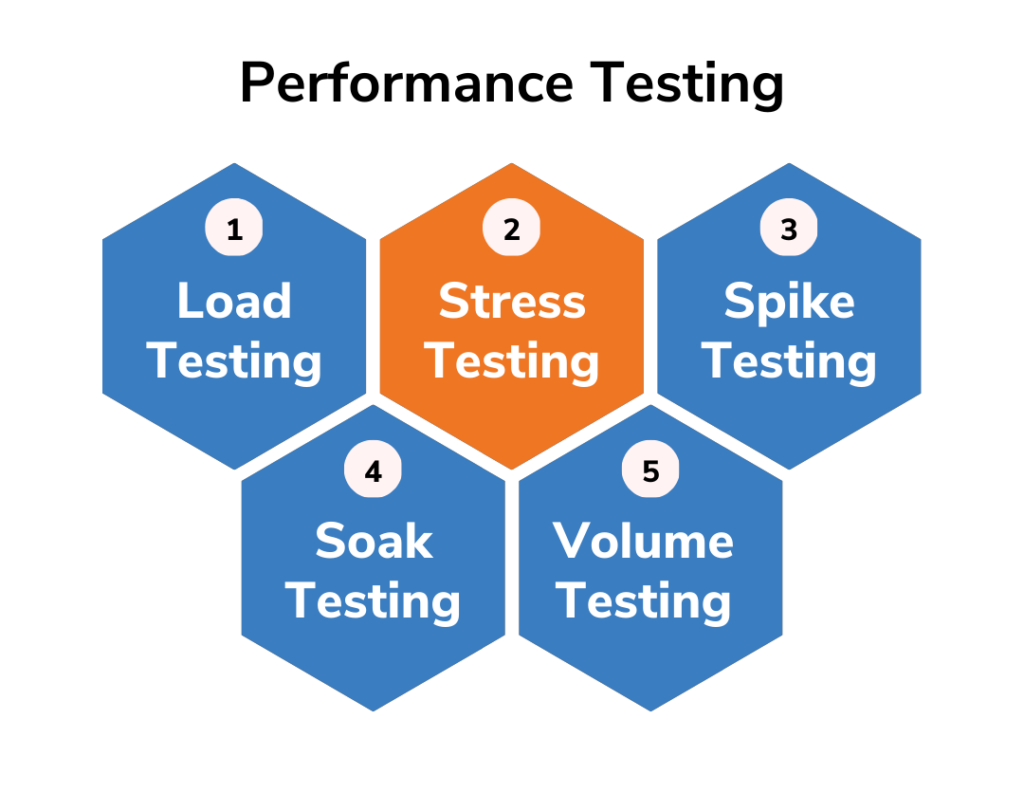
Benefits of Automating Performance Testing
1. Early Detection of Performance Issues
Automating performance tests allows for early detection of performance issues during the development cycle. By identifying bottlenecks and inefficiencies in the codebase, teams can proactively address these concerns before they escalate, reducing the risk of performance-related problems in production.
2. Efficient Regression Testing
Automated performance tests can be incorporated into the continuous integration and continuous deployment (CI/CD) pipeline, enabling efficient regression testing. This ensures that new code changes do not inadvertently degrade the application’s performance, maintaining a high level of performance throughout the development lifecycle.
3. Scalability Assessment
Automated performance tests can simulate varying user loads and traffic conditions, providing insights into the application’s scalability. This helps determine whether the application can handle increased user demand without compromising its responsiveness and user experience.
4. Consistency and Reproducibility
Automation ensures consistent and reproducible test scenarios, eliminating human errors and discrepancies in test execution. This reliability enhances the accuracy of performance measurements and facilitates meaningful performance comparisons.
Strategies for Effective Performance Testing Automation
1. Define Clear Performance Objectives
Before embarking on performance testing, it’s essential to define clear and measurable performance objectives. Determine key performance indicators (KPIs) such as response time, throughput, and resource utilization that align with your application’s goals.
2. Select Appropriate Test Scenarios
Identify critical user scenarios that represent typical usage patterns of your application. These scenarios should encompass various functionalities and user interactions to provide a comprehensive assessment of performance.
3. Use Realistic Load Patterns
Simulate realistic load patterns that mimic actual user behavior. This includes different user types, session durations, and transaction volumes. Realistic load testing ensures accurate performance insights.
4. Leverage Scalability Testing
Perform scalability testing by gradually increasing the user load to determine the application’s breaking point. This helps ascertain the maximum capacity the application can handle before performance degrades.
5. Implement Continuous Testing
Integrate performance tests into your CI/CD pipeline to conduct automated tests with each code change. Continuous testing ensures that performance issues are detected early, fostering a proactive approach to performance optimization.
Essential Tools for Performance Testing Automation
1. JMeter
Apache JMeter is a widely used open-source tool for performance testing. It allows you to create and execute various types of performance tests, including load testing, stress testing, and scalability testing.
2. Gatling
Gatling is another powerful open-source performance testing tool that focuses on efficiency and real-time analytics. It is designed to simulate high loads and is particularly suitable for applications that require high concurrency.
3. Locust
Locust is a user-friendly open-source tool for load testing. It allows you to define user scenarios using Python code, making it flexible and customizable for different testing needs.
4. BlazeMeter
BlazeMeter is a cloud-based performance testing platform that offers easy test creation, execution, and analysis. It provides scalability for large-scale performance tests and integrates seamlessly with CI/CD pipelines.
5. NeoLoad
NeoLoad is a comprehensive performance testing solution that offers advanced capabilities for load testing, stress testing, and real-user monitoring. It provides an intuitive interface and supports a wide range of application technologies.
Conclusion
Automating performance testing is a critical component of modern software development, ensuring that your applications deliver optimal performance, scalability, and responsiveness. By adopting effective strategies and leveraging powerful tools, development teams can identify performance bottlenecks early, optimize application performance, and enhance the overall user experience. Embrace the world of performance testing automation to stay ahead in the competitive landscape of software development.

The Mango Flows Editorial Team is committed to creating accurate, insightful, and reader-focused content across business, technology, AI, marketing, finance, and digital innovation. Every article is carefully researched using trusted sources to ensure quality, transparency, and reliability for our readers.